Tag: linkedin

  • How to Manage Those Social Media Notifications

    How to Manage Those Social Media Notifications

    Social Media NotificationsFacebook, LinkedIn, and other social networks have transformed our lives and businesses. They have opened up our worlds. They connect us with those whom we’ve lost touch with and they expand our networks of connections.

    Unfortunately, it comes at a cost. Expanding our connections and networks leads to more information and contributes to our digital chaos.

    One of the factors leading to digital chaos is the increase in emails.

    We are inundated with social media notifications.

    There are two ways to manage notifications:

    1. Reduce the number of notifications that you’re receiving. You can manage this through your social media settings:

      • Facebook:  Go to “Settings”, then “Notifications”
      • LinkedIn: Go to “Settings & Privacy” , “Communications”, “Email frequency”
      • Twitter:  Go to “Notifications” at the top.
    2.  

    3. Filter notifications in your email reader.

      • Apple Mail:
        • Create a new Mailbox called “Notifications”.
        • Go to “Preferences”, then “Rules”.
        • Create a new rule that moves your notification emails into your “Notifications” Mailbox.
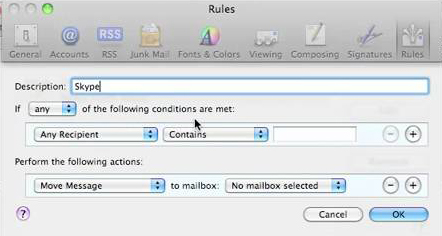
         
        AppleMailRules

      •  

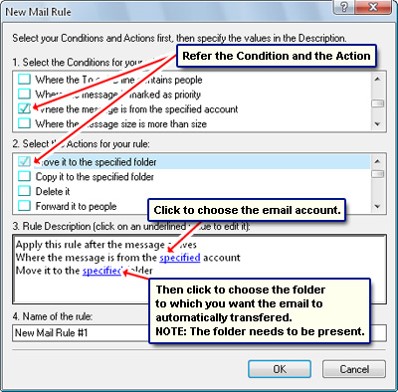
        OutlookRules

      • Outlook:
        • Create a new Folder called “Notifications”.
        • Right-click on a notification email. Select “Rules” and then “Always move messages from …”
        • Select the “Notifications” folder.


    Social media notifications serve a useful purpose, as most of us don’t have time to check our news feeds all the time.

    Make sure that you take the time to review your Notifications folder on a regular basis.

    SUBSCRIBE TO MY NEWSLETTER

    Get the “Controlling the Chaos” Newsletter and receive a free PDF download
    “Drowning in Email – A Lifeline for Communications Overload”
    * indicates required


  • What Everyone Ought to Know About Using LinkedIn to Stay in Touch

    What Everyone Ought to Know About Using LinkedIn to Stay in Touch

    LinkedIn is a social networking site for professionals. (You are a professional if you have or have ever had a job or a business.) There are several reasons why you should be using it, including:

    • Staying in touch with your former co-workers
    • Keeping up with professionals and companies that you’ve done business with
    • Joining groups related to your profession
    • Sharing updates related to your business
    • Keeping updated contact information

    You need to have a LinkedIn profile for anyone looking for your business/skill set or to re-connect with you.

    There may be old friends or co-workers, for example, looking for your contact information. Or there may be recruiters trying to fill a job position.
     
    If you’re a business owner, your profile can be the one to stand out, particularly if you have recommendations. It’s OK to ask for recommendations from your former co-workers, clients, and customers. It’s even better to give recommendations.


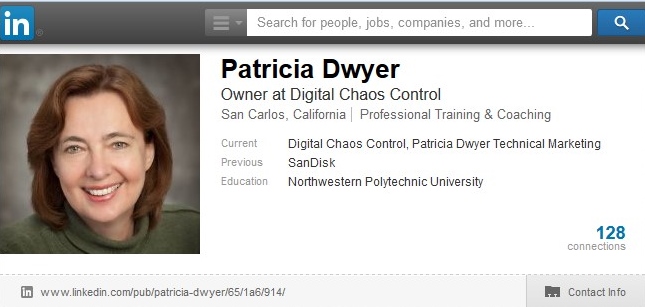
    LinkedInProfile

    Your LinkedIn profile should include:

    • A recent professional photo
    • A link to your website or blog
    • A summary of your experience or of your business 
    • Detail on your work & volunteer experience
    • A list of skills

    Once you have your profile set up, you should search for your connections and send a connection request. Make it a personalized request with a reminder of who you are / where you’ve met. Also search for groups affiliated with your industry or interests and join them.

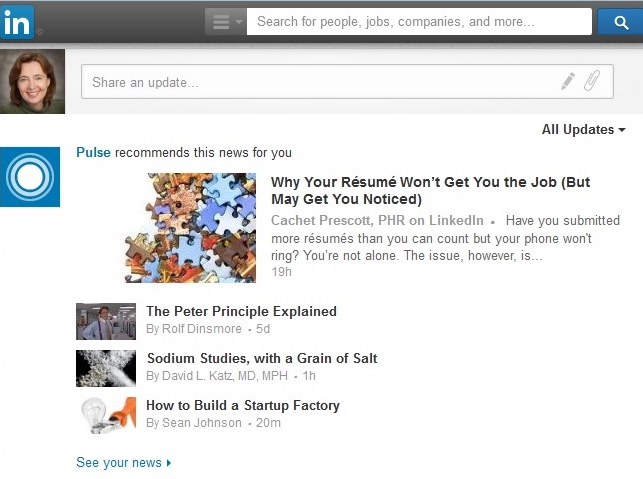
    LinkedInNewsfeed

    LinkedIn will fill your news feed with a mix of profile updates, status updates, comments, and sponsored ads. It’s useful to read your news feed on a regular basis to see what’s happening with your contacts. You can make status updates too. Let your contacts know what’s new with you, your professional accomplishments, links to articles that you’ve liked, and links to your blog posts.


    Plan on doing LinkedIn status updates monthly, if not weekly.

    You can also “follow” companies in your industry to see their updates.

    SUBSCRIBE TO MY NEWSLETTER

    Get the “Controlling the Chaos” Newsletter and receive a free PDF download
    “Drowning in Email – A Lifeline for Communications Overload”
    * indicates required